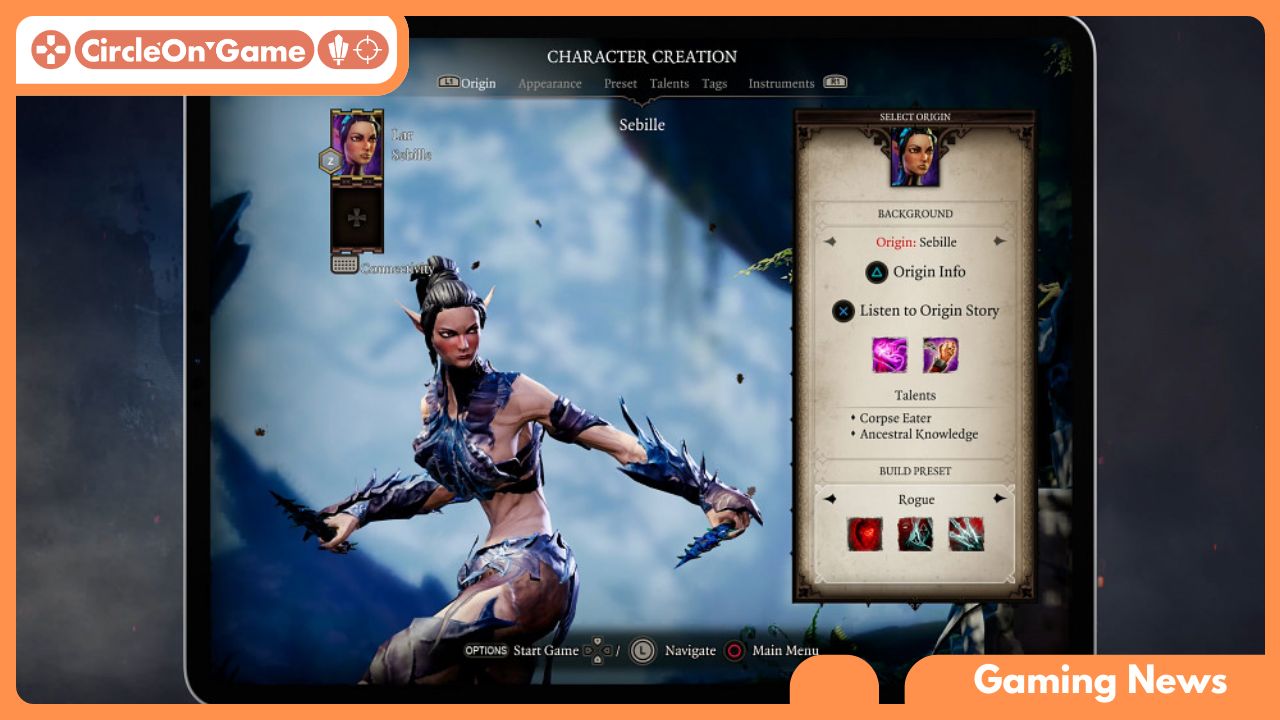

As dusk descends upon Rivellon, a world of excitement beckons to those adventurous spirits ready to indulge in a saga woven with sorcery, treachery, and elaborate narratives. “Divinity: Original Sin 2” has enthralled players across PC and console platforms, garnering praise for its rich storytelling and strategic gameplay. With its recent launch on the iPad, many gamers are curious to see how this enchanting experience translates to a touch-screen format. This performance analysis scrutinizes the game’s functionalities on Apple’s tablet, looking closely at graphics, controls, and the overall gaming experience. Join us as we assess whether this mobile adaptation can uphold the esteemed legacy set by its forerunners, all while promising epic role-playing adventures at your fingertips.
iPad Performance Evaluation for Divinity Original Sin 2
Immersing oneself in the captivating universe of Divinity Original Sin 2 on the iPad reveals a surprisingly smooth performance that effectively transforms this beloved RPG into a portable experience. The game operates fluidly on iPad devices, boasting graphics that not only retain their intricate detail but also enhance the immersion. Environments are vibrant and richly rendered, with character models displaying a commendable level of clarity. During battle sequences, the frame rate remains consistent, allowing players to execute their tactics without delay or disruption. The touch controls are well-designed, simplifying navigation through menus and command execution, though experienced players might still prefer the accuracy offered by a mouse for certain nuanced gameplay elements.
A key highlight of the iPad adaptation is its preservation of the original’s gameplay intricacies while successfully transitioning to a touchscreen interface. The intuitive inventory management streamlines the gaming experience, empowering players to focus on strategizing and interacting with NPCs rather than struggling with menu navigation. Furthermore, the game’s online multiplayer feature offers an enjoyable cooperative experience, enabling friends to seamlessly embark on quests together. Despite the iPad lacking the extensive keyboard and mouse configuration typical of a PC, its performance as a portable device is unexpectedly impressive, granting both newcomers and veterans a chance to explore the intricate storytelling and tactical depth characteristic of Divinity Original Sin 2.
Visual Quality and Graphics Optimization for Mobile
In the realm of mobile gaming, achieving high visual quality alongside smooth performance is a challenging endeavor, and Divinity Original Sin 2 adeptly masters this challenge. The developers have optimized the iPad’s hardware capabilities, delivering stunning graphics that harmonize with the game’s detailed artistic design. Environments are meticulously crafted, from the lush greenery of forests to the complex designs of ancient ruins, creating an engaging experience that immerses players in a vibrant world. Notably, this visual excellence does not compromise performance; the game utilizes adaptive resolution scaling to dynamically adjust visual quality based on real-time performance needs. This ensures that players can concentrate on their strategic decisions without stressing over lag or frame drops in high-stakes situations.
Optimization stands as another hallmark of this finely tuned port, with textures refined to fit the limitations of mobile hardware without sacrificing visual quality. The user interface has been thoughtfully redesigned to suit touch controls, enabling even the most complex mechanics to be navigated with ease. Additionally, the developers have included a variety of settings that allow players to customize graphic options based on their preferences and device specifications.
This degree of personalization not only enriches the gameplay experience but also highlights the developers’ commitment to delivering a polished product that accommodates the diverse range of mobile devices. Whether traversing vast landscapes or engaging in strategic turn-based combat, the game’s visual appeal seamlessly complements its technical achievements, crafting a captivating and enjoyable experience.
Read More: Best VR Headsets of 2024: Your Ultimate Guide to Immersive Experiences!
Gameplay Dynamics and Control Adaptation
Transitioning from PC or console to iPad in the turn-based RPG genre often entails a notable shift in gameplay mechanics, yet Divinity Original Sin 2 navigates this change with remarkable skill. The iPad experience allows players to immerse themselves in its complex systems, managing party dynamics and orchestrating tactical endeavors effectively. The touch controls are ingeniously adapted, allowing for intuitive movement and selection while maintaining the game’s intended complexity. The pinch-to-zoom feature offers a panoramic battlefield perspective, helping players survey their environment to devise strategies. Despite the more compact display, the graphical integrity and vibrant world design remain intact, enticing players to explore the meticulously designed landscapes and character details.
The developers excel in control adaptation, expertly balancing accessibility with the demand for precision. The interface has been streamlined for touch usage, enabling players to navigate menus and cast spells with a simple touch. Gesture-based commands for combat and exploration replace traditional mouse clicks, leveraging the iPad’s capabilities while preserving the game’s intricate depth. While some players may initially find the switch to touch controls challenging, the transition is user-friendly and fulfilling, allowing for a gaming experience that feels particularly suited to mobile devices. As players engage with the rich narrative and dynamic interactions, the controls soon become second nature, assuring that the core essence of Divinity Original Sin 2 is preserved on this portable platform.
Performance Enhancement Tips for iPad
To optimize your gaming adventure on the iPad with Divinity Original Sin 2, consider fine-tuning the graphics settings for better performance. Reducing the resolution or adjusting texture quality can significantly decrease lag and boost frame rates, resulting in smoother gameplay during action-packed moments. For those who prioritize visuals, a medium settings option can provide a satisfying balance, offering solid graphics while sustaining consistent performance. Additionally, regularly closing background apps can help free up system resources, ensuring your device allocates more power to the game itself.
Keeping your iPad updated with the latest iOS version is essential for enhancing performance too. Each update generally includes optimizations and fixes that can improve app stability and responsiveness. Furthermore, activating the ‘Low Power Mode’ when needed can help extend battery life during play sessions, inadvertently reducing any performance throttling and ensuring more consistent gameplay. Exploring the option of an external controller may also enhance your gaming experience, eliminating the limitations of touch controls and boosting responsiveness in critical gameplay moments.
Looking Ahead
The journey through Rivellon on the iPad presents a distinctive mix of tactical engagement and portability that may reignite your enthusiasm for Divinity: Original Sin 2. While its performance might not rival the seamlessness found on desktop systems, the allure of experiencing this adventure on-the-go is a compelling incentive. The dazzling visuals and rich narrative resonate throughout, providing an engaging experience even on a compact screen.
As you navigate the challenges and victories your party faces, remember that the spirit of Divinity: Original Sin 2 remains intact, welcoming both new players and seasoned fans to immerse themselves in its expansive and vibrant world. Whether you’re plotting your next strategy or unraveling intricate storylines, the iPad adaptation stands as a testament to the game’s lasting charm. So, gather your allies, unleash your strategic prowess, and set forth on an incredible journey, no matter where you may be—Rivellon awaits!